Your sermons are already full of answers.
Your congregation just needs a way to find them.
Three steps from sermon archive to searchable library. No manual tagging, no weekly maintenance, no settling for auto-generated captions.
Step One
Connect your teaching.
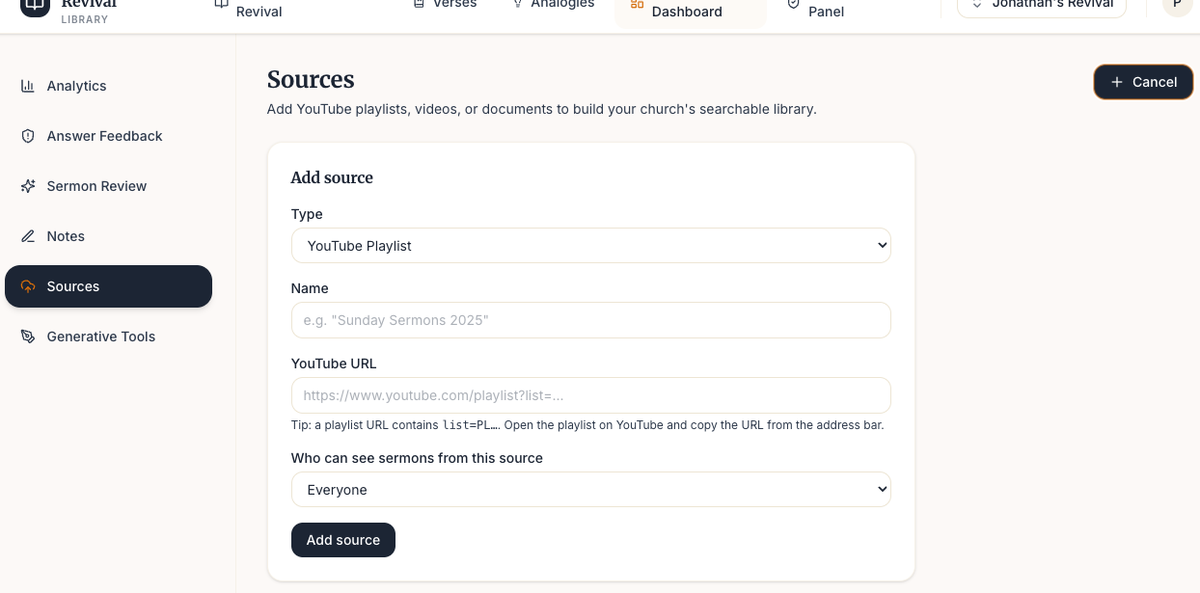
Paste a YouTube playlist URL, upload sermon audio, drop in notes and PDFs. The library pulls your entire back catalog automatically, not just this Sunday's sermon.
There is no weekly import to run. New sermons added to your connected playlist appear in the library on their own.
- YouTube playlists and individual videos
- Sermon audio (MP3, M4A, WAV, and more)
- Sermon notes and outlines as PDFs or documents
- Ministry materials and Bible study series
Step Two
Your congregation asks. Your library answers.
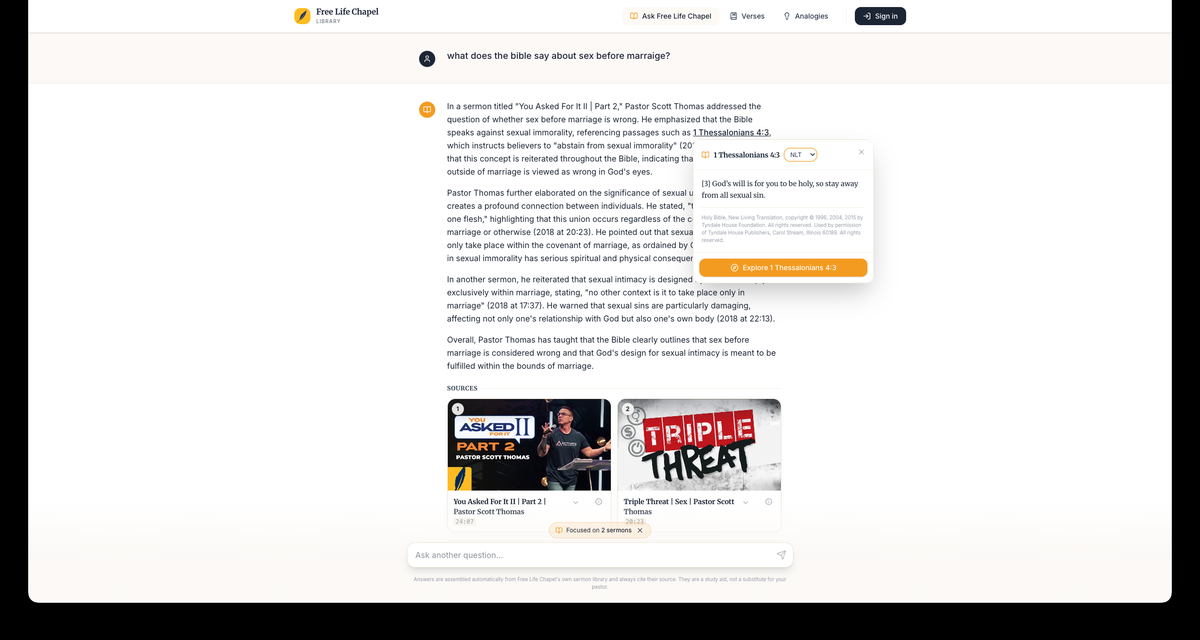
Members type a question the same way they would ask it out loud. The library searches your church's own teaching and returns the most relevant answer, cited to the exact sermon and the exact moment it was preached.
Every answer includes a direct link back to that timestamp in your church's YouTube channel. One tap and the member is watching the clip in context.
- Search by passage, topic, series, or phrase
- Every answer cited to sermon title and timestamp
- One tap returns to that exact moment in YouTube
- If the church hasn't addressed it, the library says so
Step Three
Your leadership approves before anyone sees it.
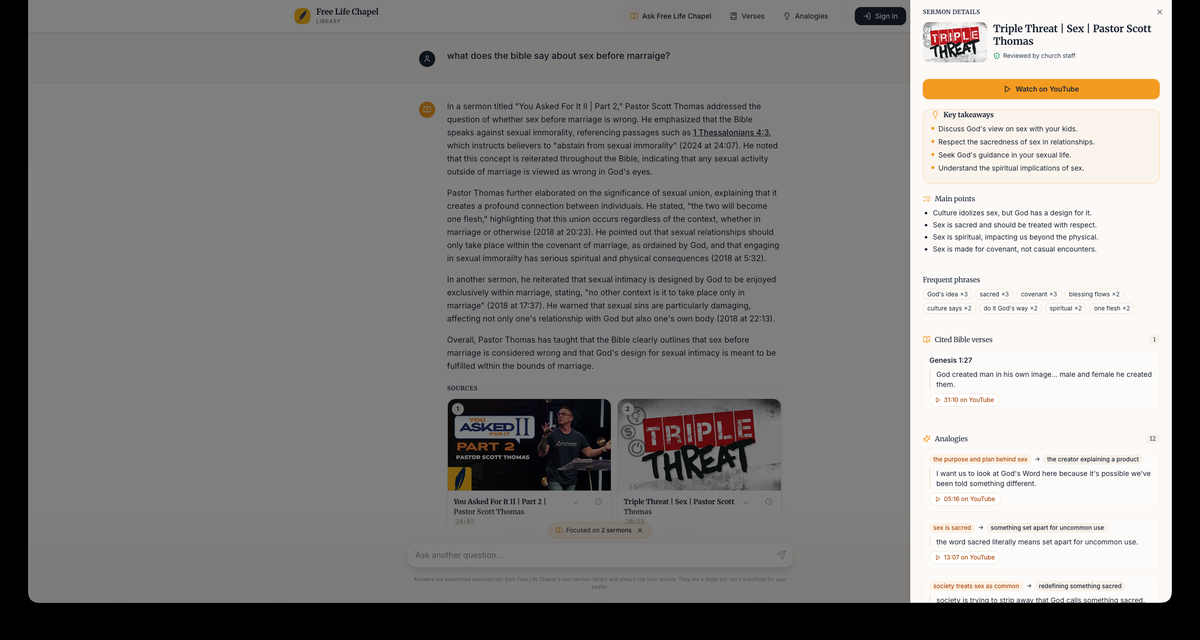
Sermon summaries, study guides, and every other output the library prepares moves through your staff review queue and then your senior leadership before it is visible to the congregation.
Every decision is recorded. If something needs to be pulled or revisited, you can reverse it at any point. The library drafts. Your team decides what stands.
- Staff reviews first, then oversight, then public
- Approve, suppress, or flag for discussion at any level
- Full audit trail of every approval and suppression
- Reversible at any time, nothing is permanent
What your staff sees
Real questions. Real signal.
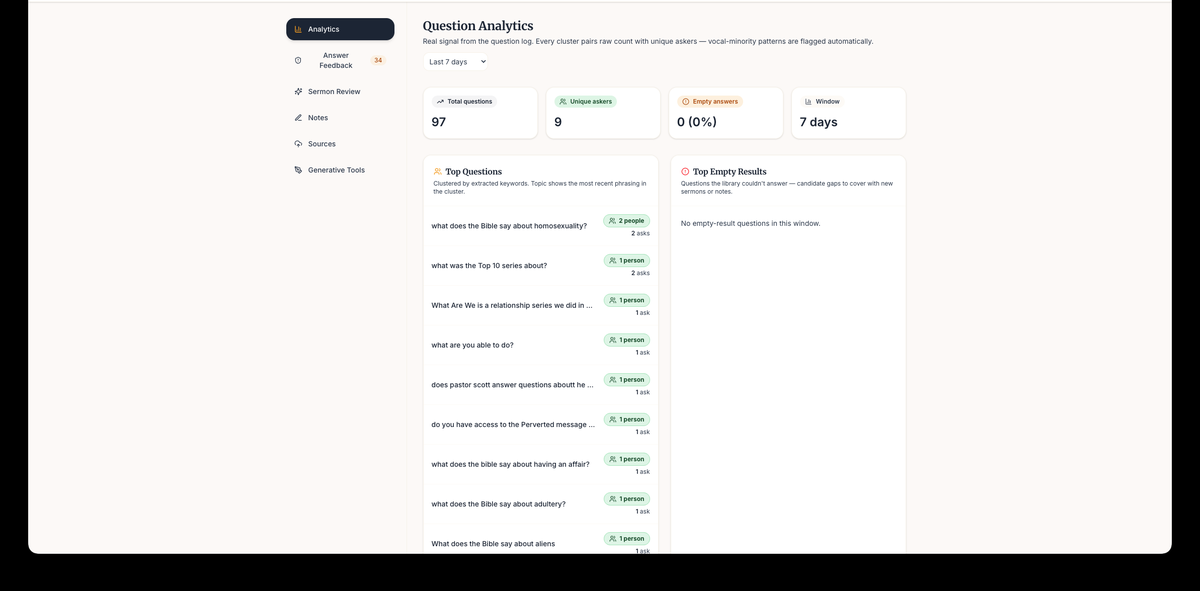
Your staff dashboard shows every question the congregation asked, clustered by topic, with a count of how many people asked it.
The questions your library couldn't answer are flagged separately as gaps to cover in future teaching. Instead of guessing what your congregation is wrestling with, you know.
Common questions
Before you ask your pastor
How long does setup take?
Connecting your first YouTube playlist takes about ten minutes. The library then processes your entire back catalog in the background. Most churches see their first searchable answers within 24 to 48 hours, with no manual work required after the initial connection.
Do we have to be on YouTube?
No. Berean Library accepts YouTube playlists, sermon audio files in common formats (MP3, M4A, WAV), sermon notes and outlines as PDFs or documents, and ministry materials. YouTube is one source type among several, not a requirement.
What happens if the library doesn't know the answer?
If your church has not addressed a topic, the library says so plainly instead of guessing. It never fabricates an answer or draws from another church's content. The library speaks only from what your own pulpit has taught.
Who at our church needs to be involved?
At minimum, one staff-level member manages the review queue and a senior leader holds the final approval gate before anything is visible to the congregation. No technical staff or IT knowledge is required.
Is our church's content shared with other churches?
No. Every church's library is entirely isolated. Your sermons and materials are never shared with or visible to other churches, and they are never used to train or inform any other system.
How does our congregation access it?
Each library has its own web address branded to your church. Members open it in any browser on any device. There is no app to download and no account required to ask questions.
Ready to start